A license, as easy as a song
- ready · press run, or hover any part of the system
Problem
Buying a license was harder than it should have been.
The listing buried what mattered most. The price sat halfway down the page, and the royalties read like legal text. The checkout itself didn’t feel like a place you’d want to spend money. It was hard to follow and didn’t look the part. On top of that, checkout was desktop-only. A buyer who found a song on their phone had to go back to the desktop app to finish, and that was a friction point for our users.
A license isn’t a cart item. It comes with terms, an agreement to sign and royalties, and the buyer has to understand all of that before paying. Making it easy couldn’t mean hiding any of it.
What I did
I redesigned the purchase flow, on desktop and on phones.
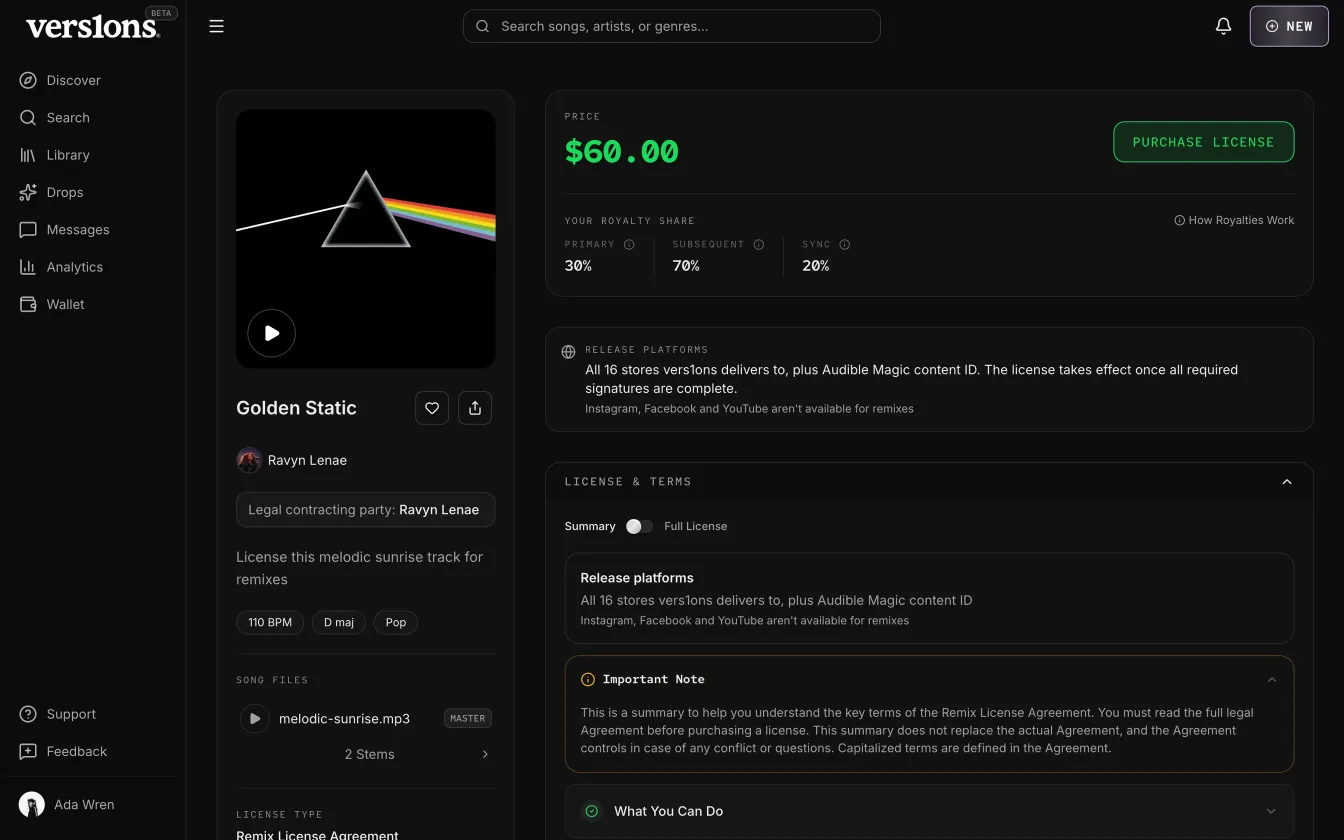
I redesigned the listing so the song is on one side and the license you’re buying is on the other, with the price and Purchase at the top. A purchase bar stays with you as you scroll. Royalties are a short summary, with a worked example one tap away.
I also redesigned the checkout itself, from the order summary to the agreement and payment. On phones, I took the desktop gate out and rebuilt every step for a small screen. Signing and paying became two steps. You read and sign the agreement first, then payment opens right below it. After buying, the receipt is a small dialog instead of a whole page, and your purchases live in your library with the files and the signed agreement.
The team built what’s behind the screens, like the agreement signing, payments and the rights each purchase grants.
Step by step
8 steps, one screen at a time.
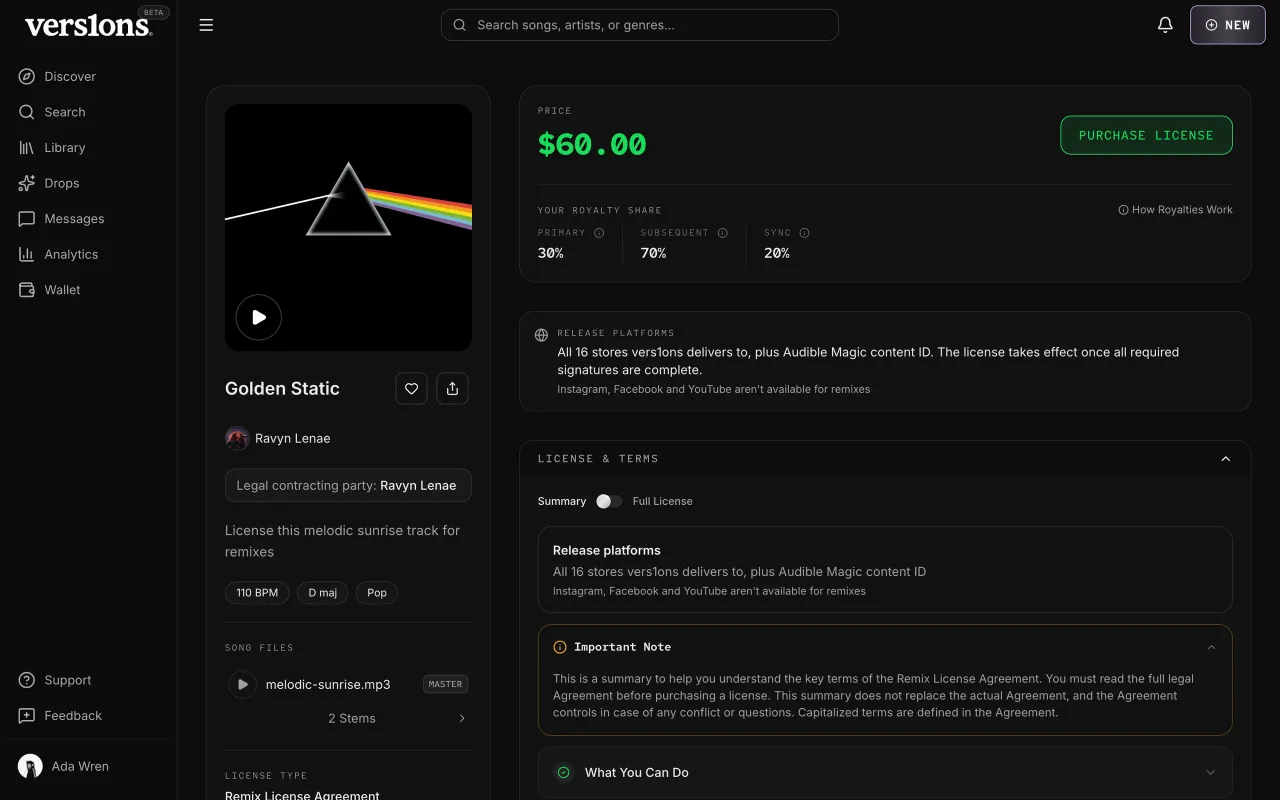
01Know what you're buyingThe price and Purchase sit at the top, next to a plain summary of the license. What you can do, what you can't, and where your remix can be released, before you open the full agreement. 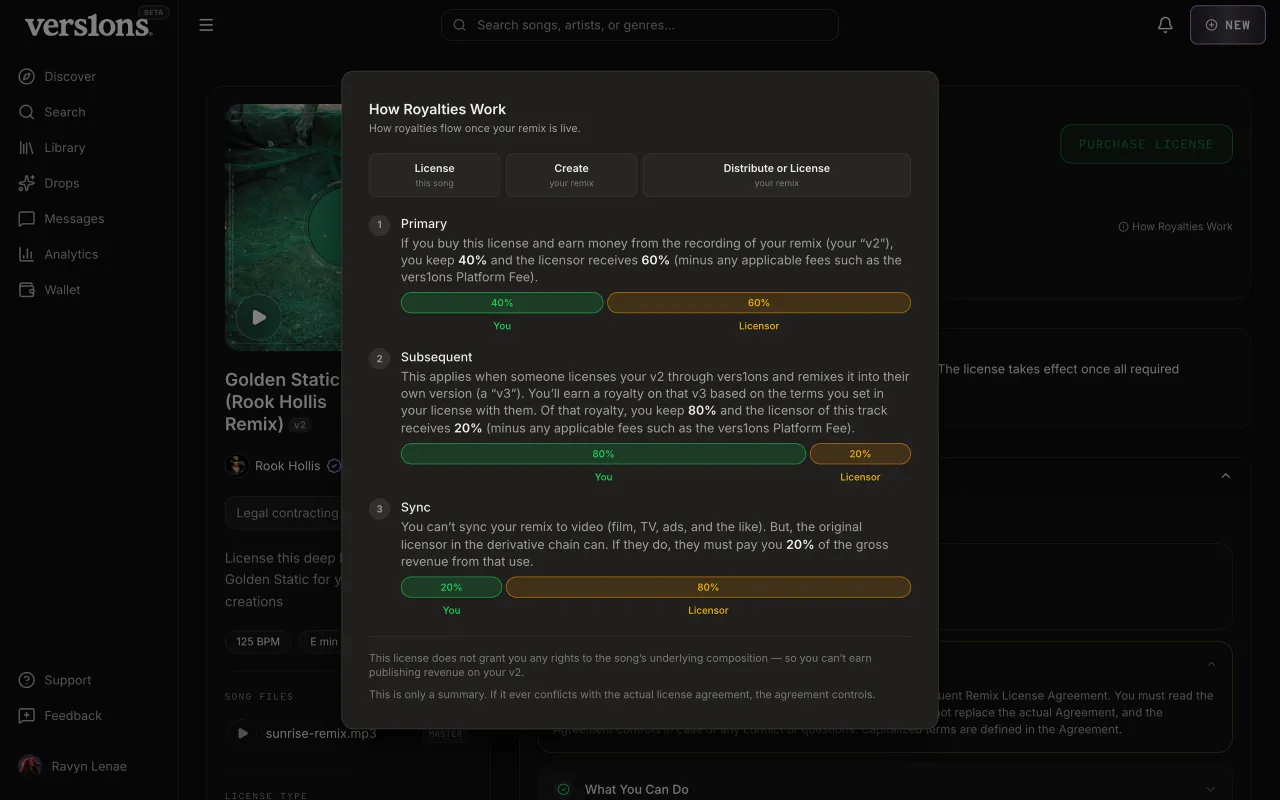
02How royalties workRoyalties are one short line on the listing. The worked example opens in a dialog, so the page stays light and the detail is still there. 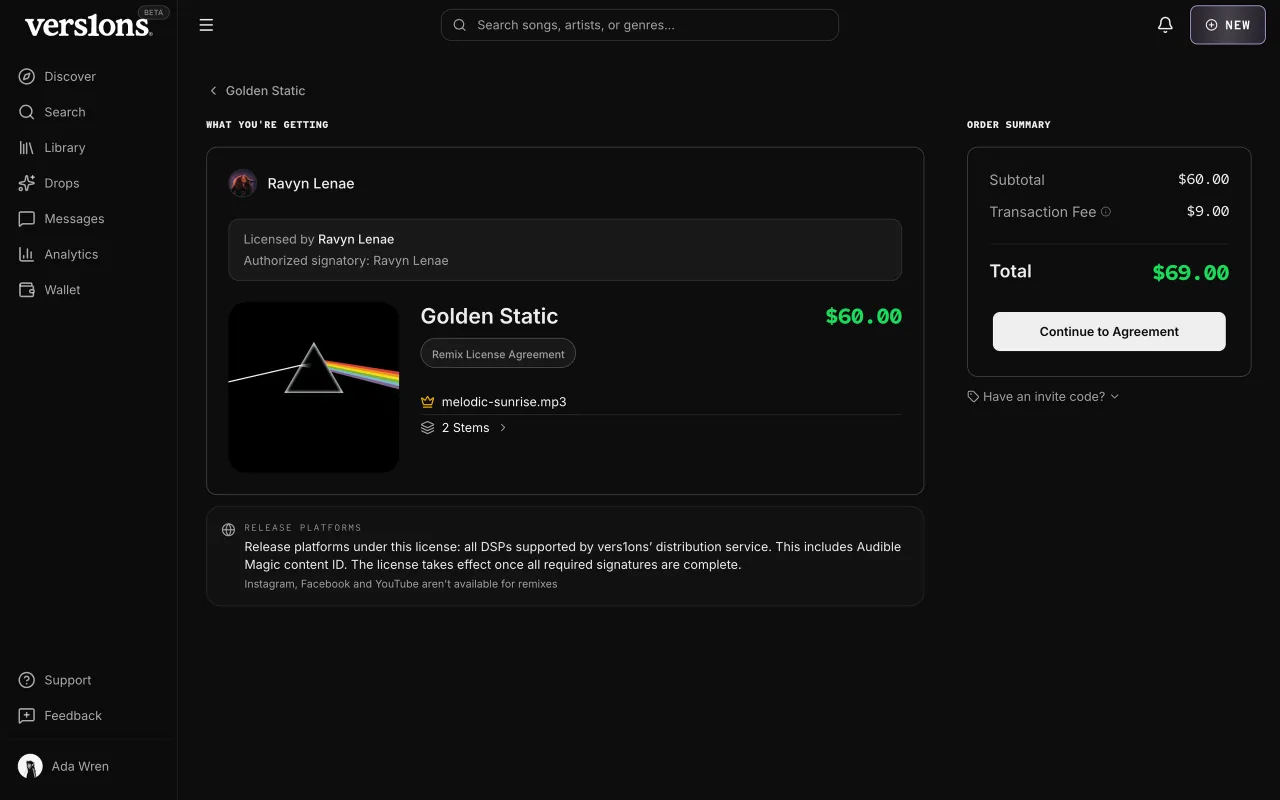
03Order summaryWhat you're getting, the fee and the total, on one screen. If you have platform credit, it's applied here first. 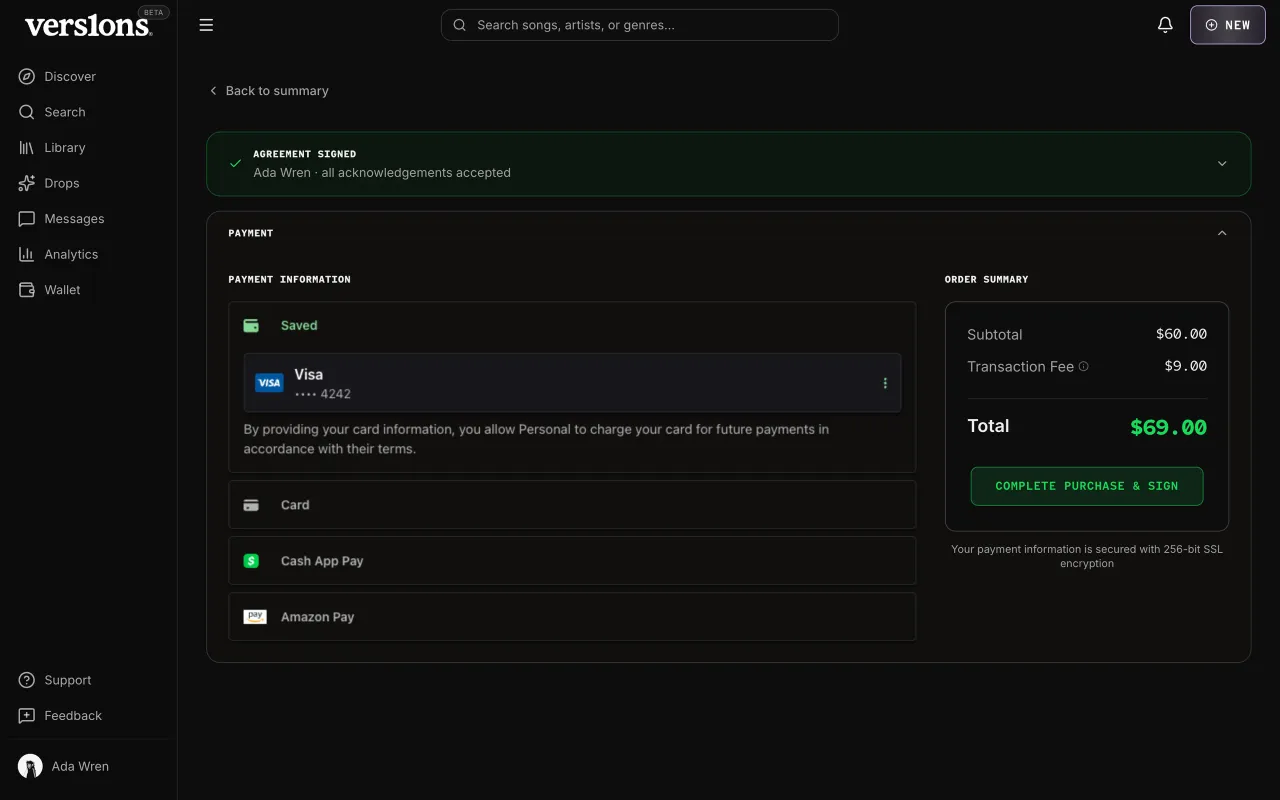
04Sign, then payYou read and sign the agreement first. Once it's signed, it folds away and payment opens below it, so you always know which step you're on. 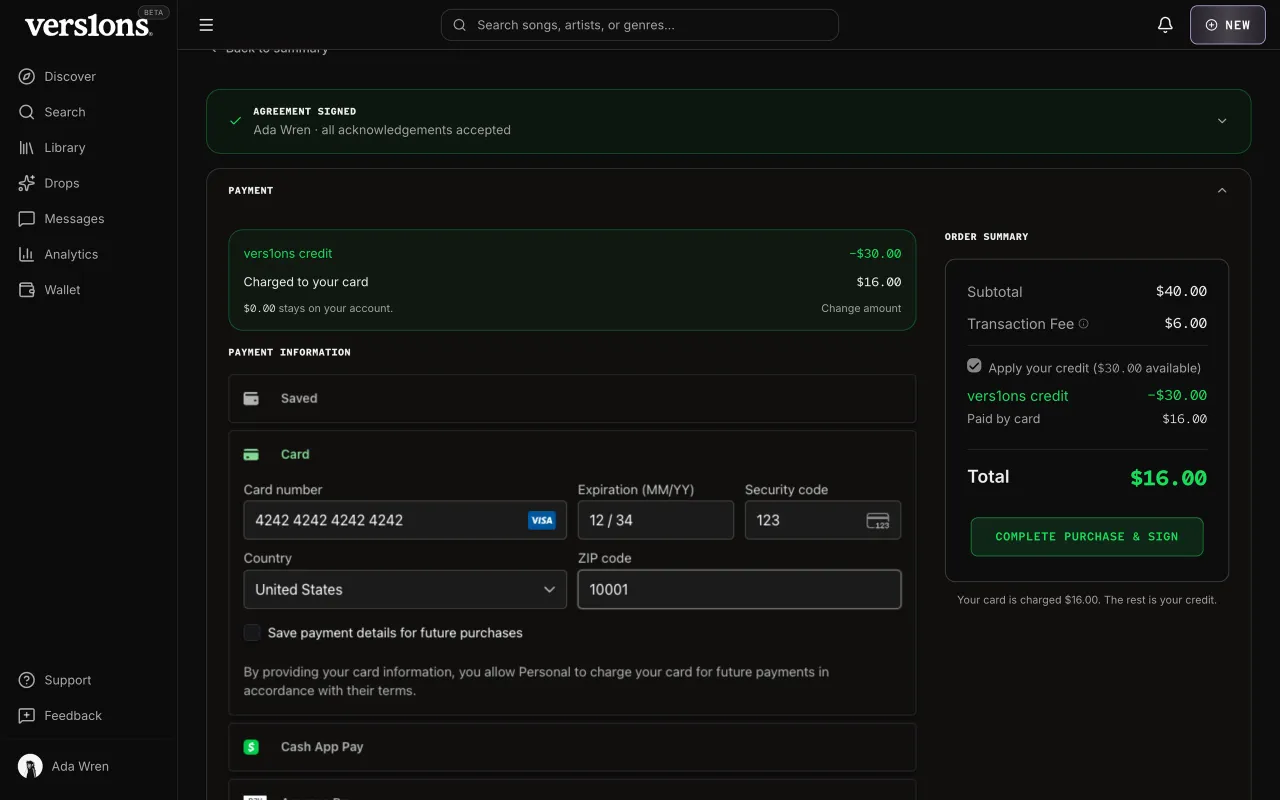
05Pay your wayPay by card, with credit, or both. Credit covers what it can, and the card only pays the rest. 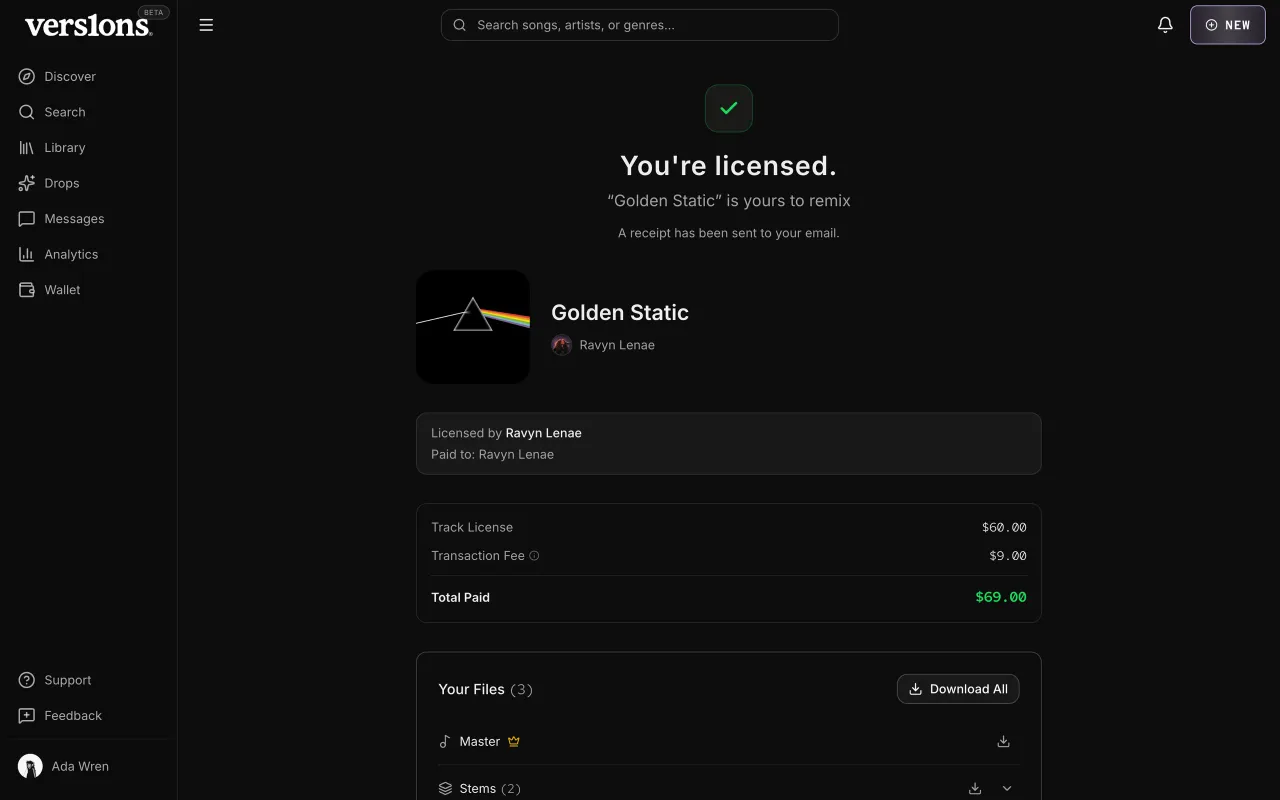
06LicensedRight after paying you see what you bought, what you paid, and who was paid. A receipt goes to your email. 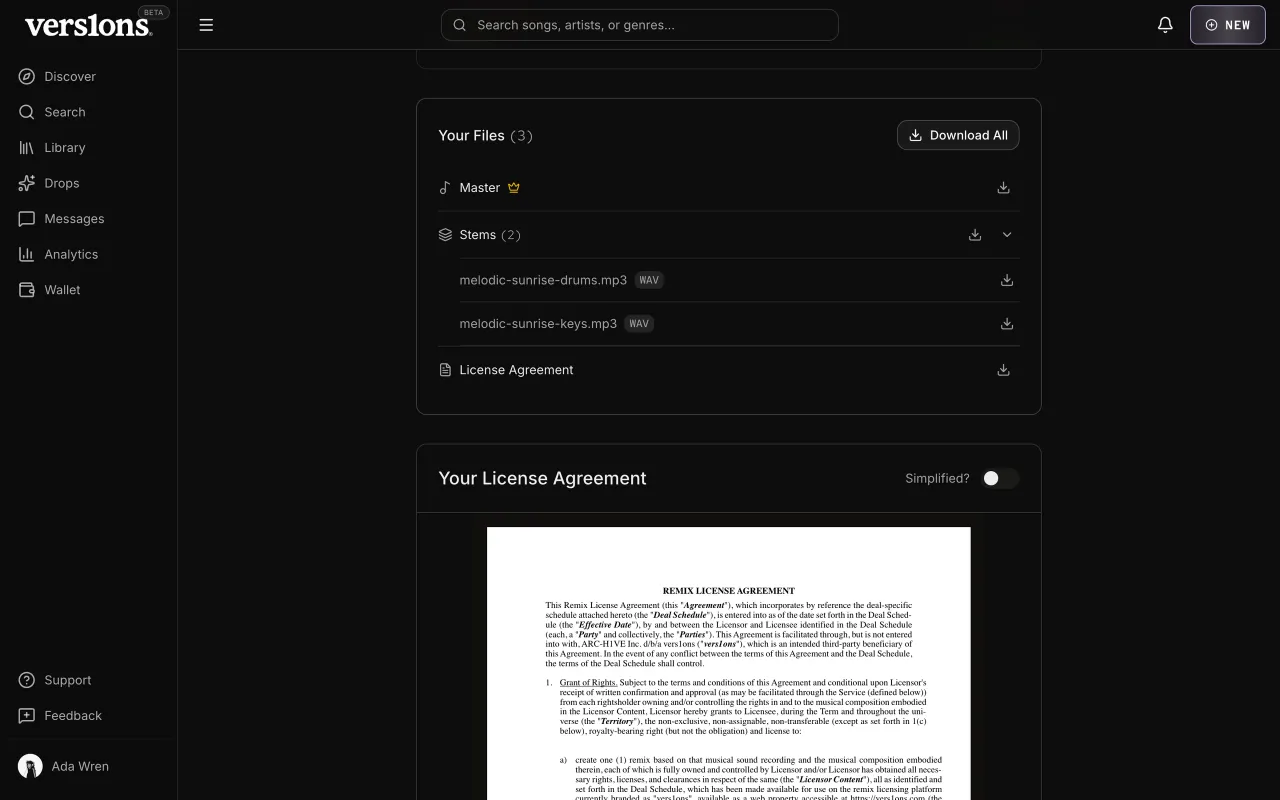
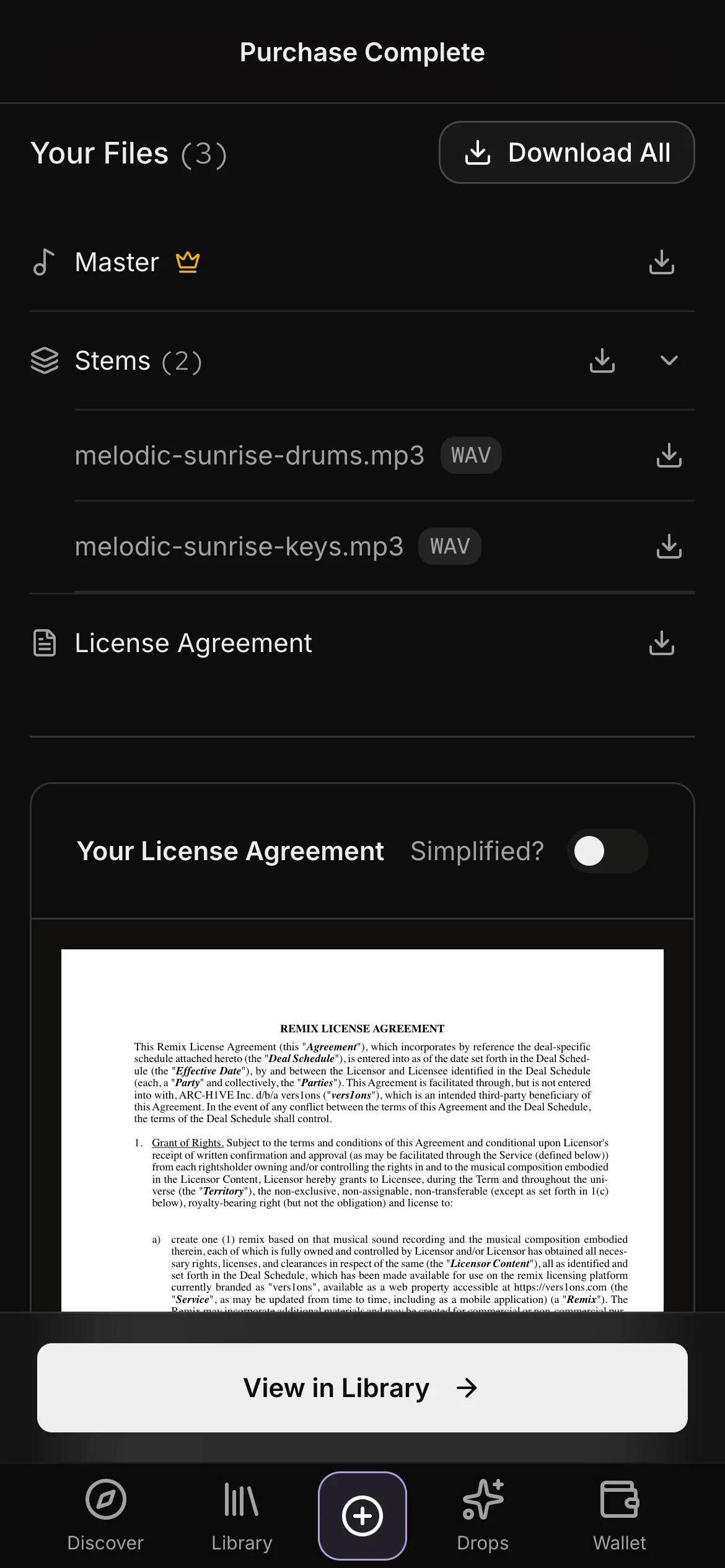
07Your filesThe license comes with its files. You get the master recording, a PDF of the signed agreement, and the stems when the artist uploaded them. Download them one at a time or all at once. 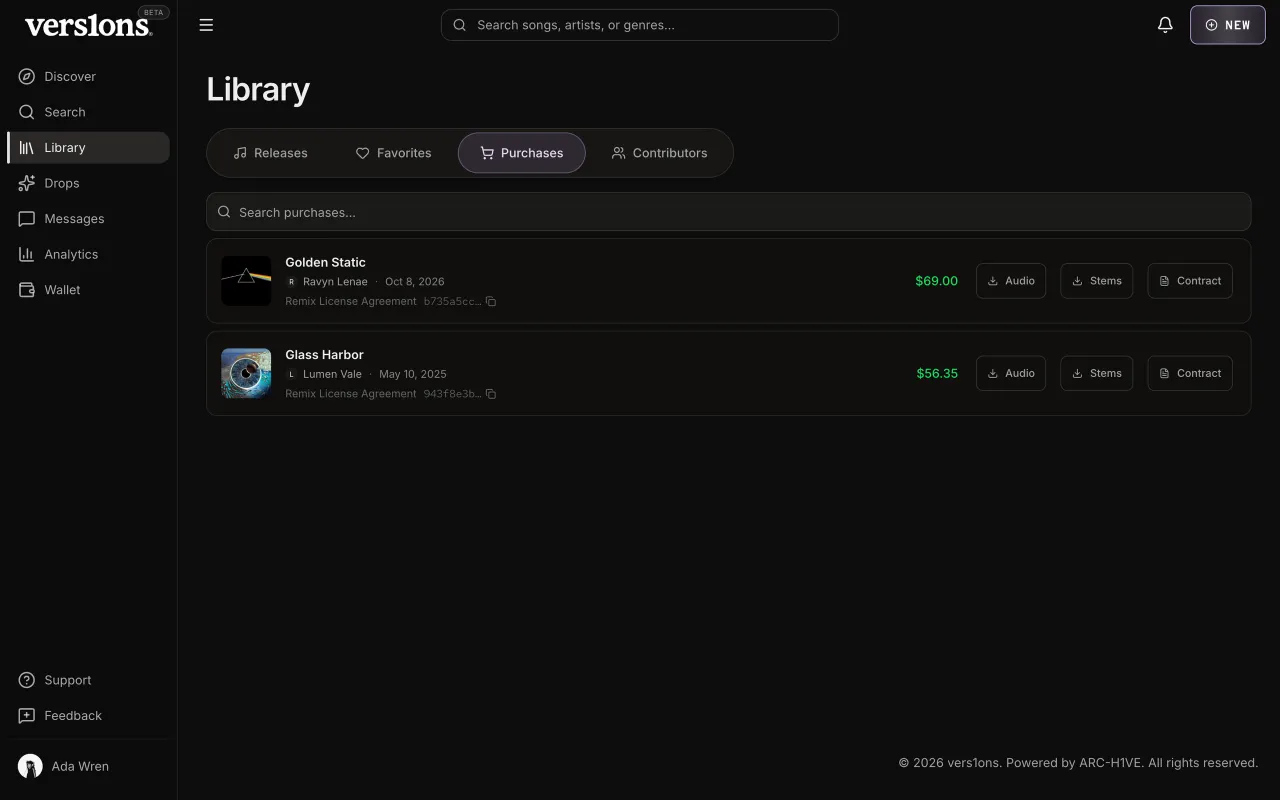
08Your libraryEvery purchase stays in your library, with its files and the agreement a click away. On the song's page, View Purchase opens the receipt as a small dialog, not a whole page.
Mobile design
The same flow on a phone. Click any screen to see it full size.The same flow on a phone. Each screen links to it at full size.
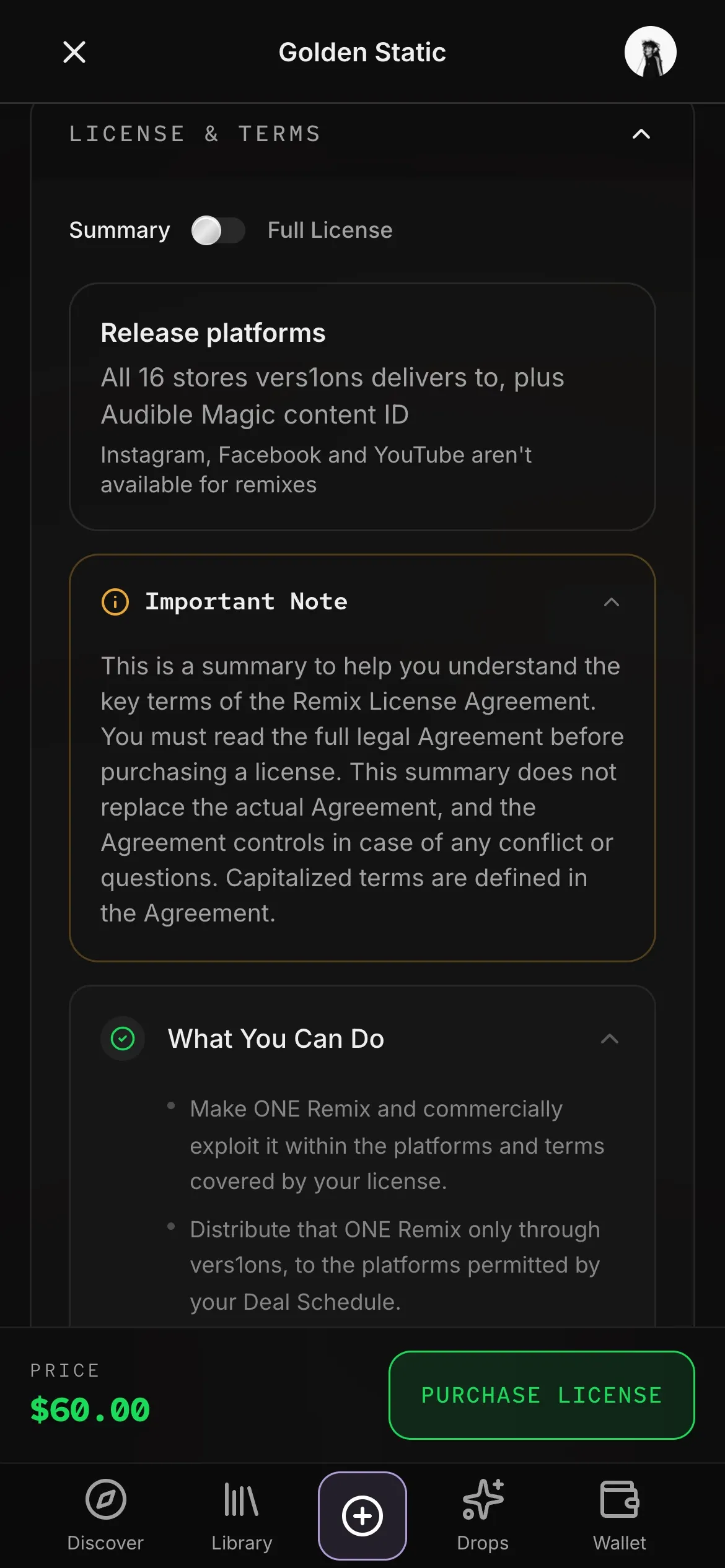 (opens full size)
01The price and Purchase stay fixed at the bottom while you read the terms. 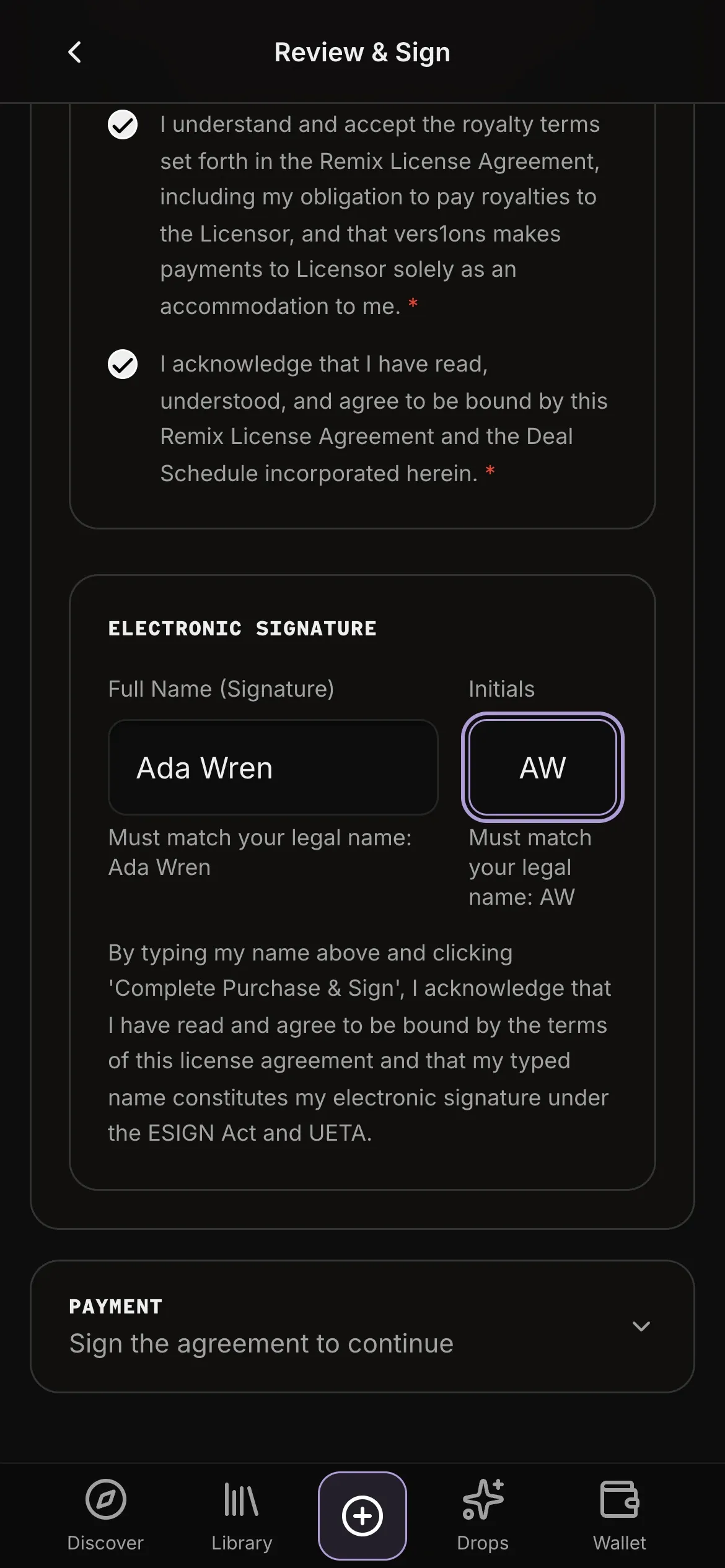 (opens full size)
02The agreement and your signature, in one column. 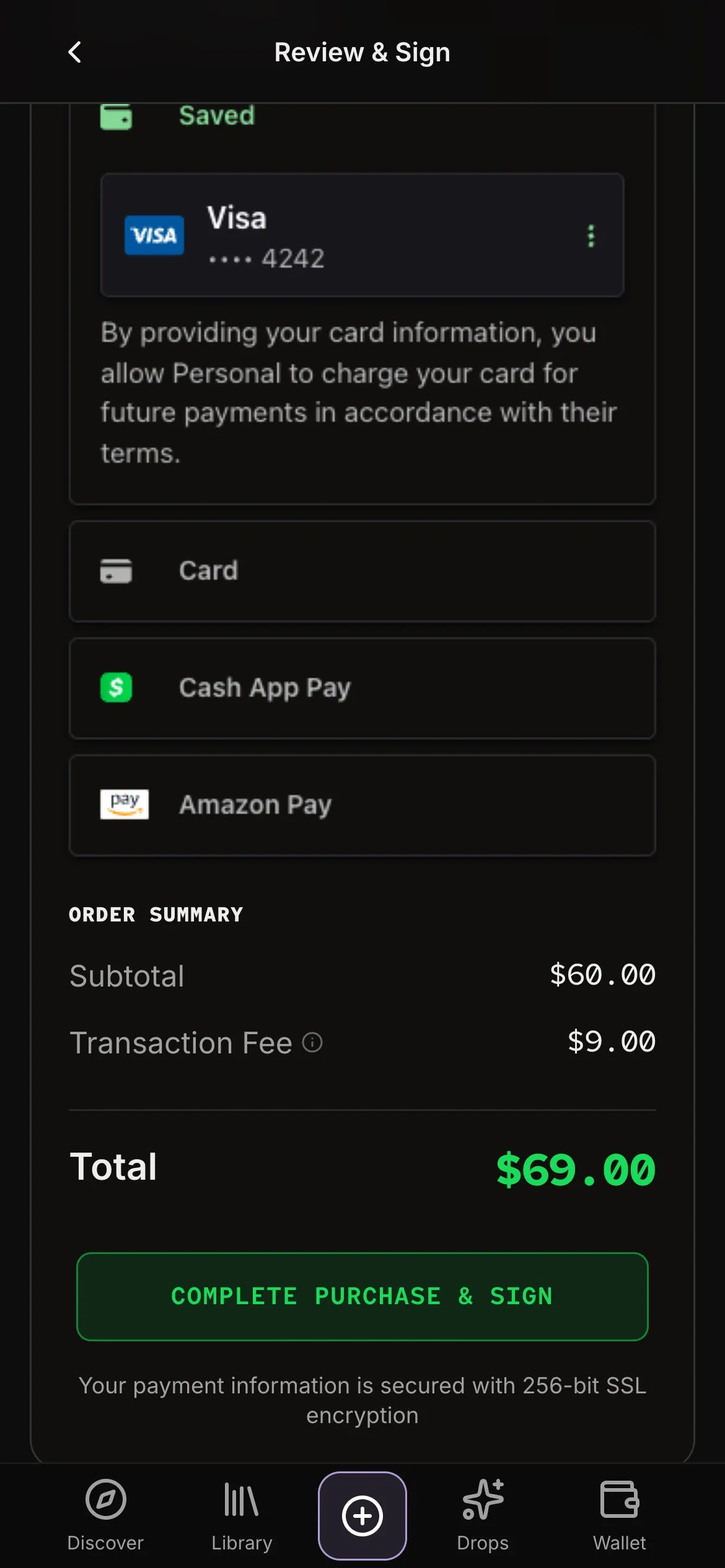 (opens full size)
03Payment opens below the signed agreement, with the total and the button in reach.
What changed, and why
The same part of the product in an early build and today.
Checkout on a phone
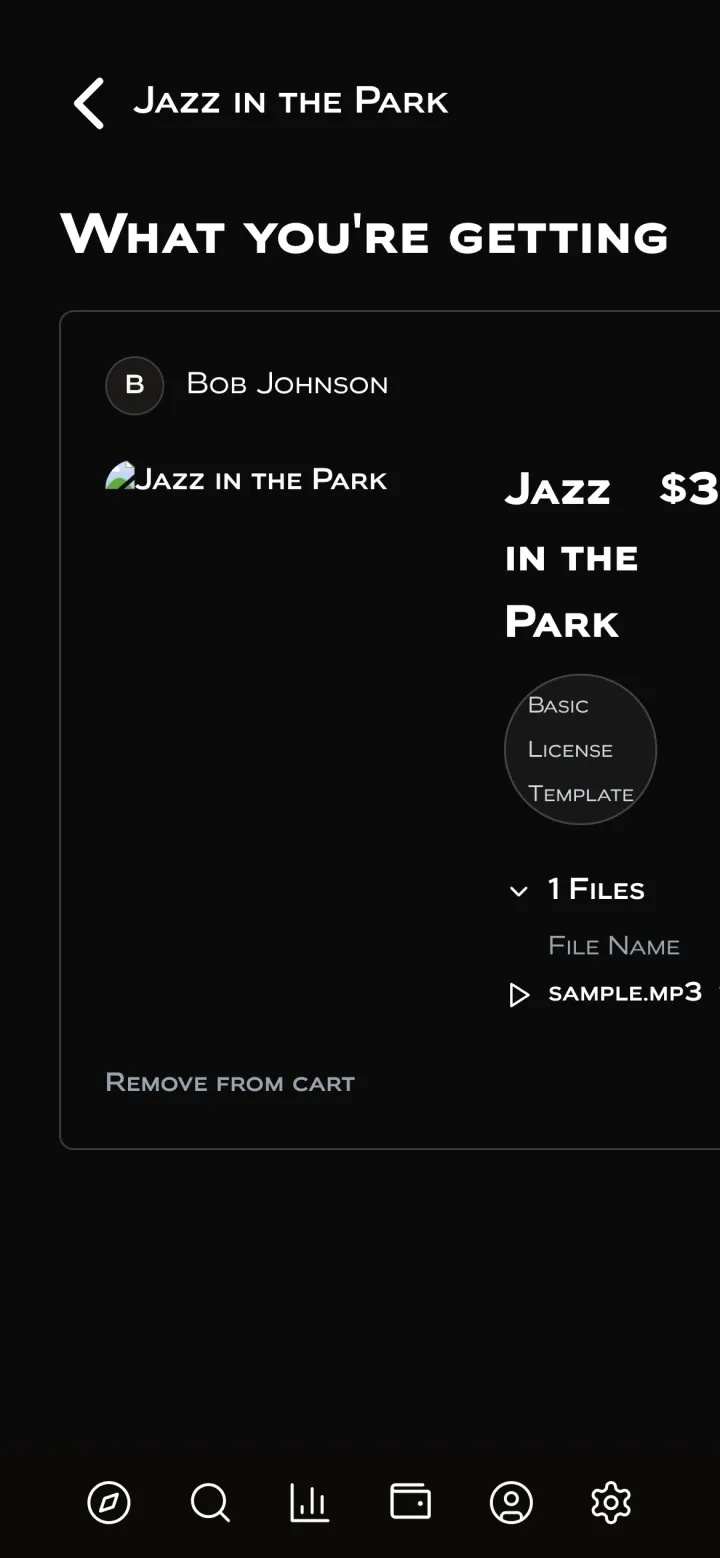
In November 2025, checkout wasn't built for a phone. Text ran off the screen and the price was cut off, so buyers finished on desktop. Now every step has its own phone layout, with the next action fixed at the bottom.
Before · Nov 2025A desktop layout, squeezed. 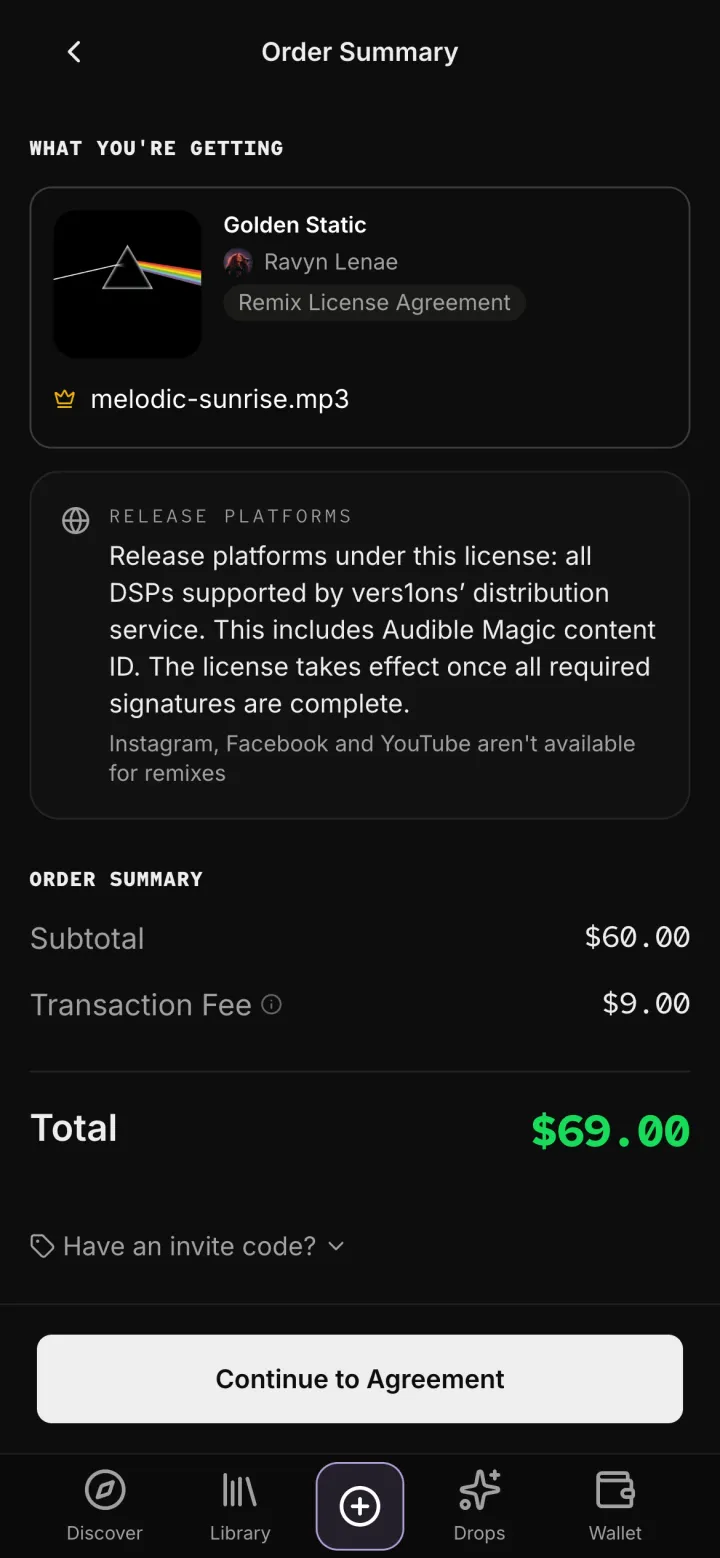
Now · Oct 2026Its own phone layout. Order summary
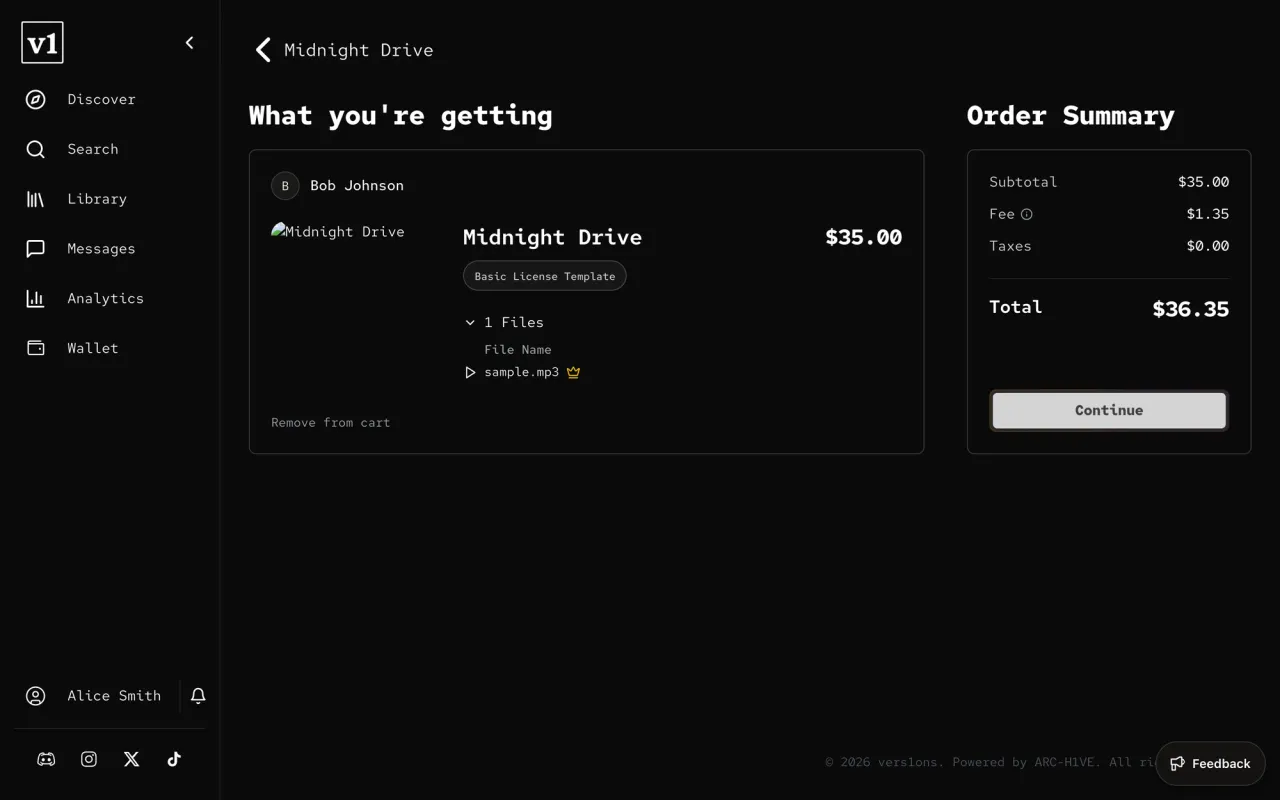
The order summary looked like a cart, with "Remove from cart" and a cover that didn't load. Now it shows what you're getting and who you're licensing from, and how you're paying, with the total and the next step beside it.
Before · Dec 2025A cart. 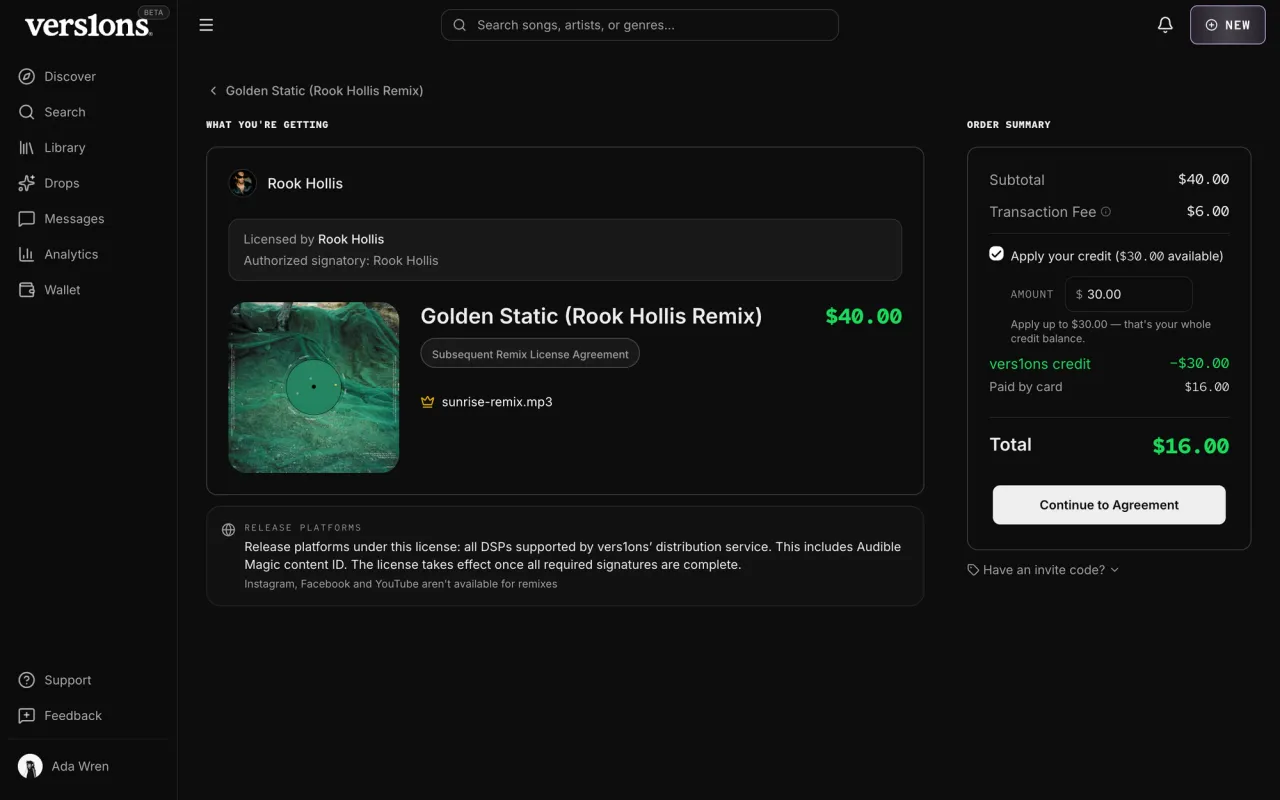
Now · Oct 2026What you're getting, and how it's paid. After you buy
Viewing a purchase opened a whole page, with a progress tracker, buyer and seller cards and no way back. Now it's a small receipt with the files and the agreement.
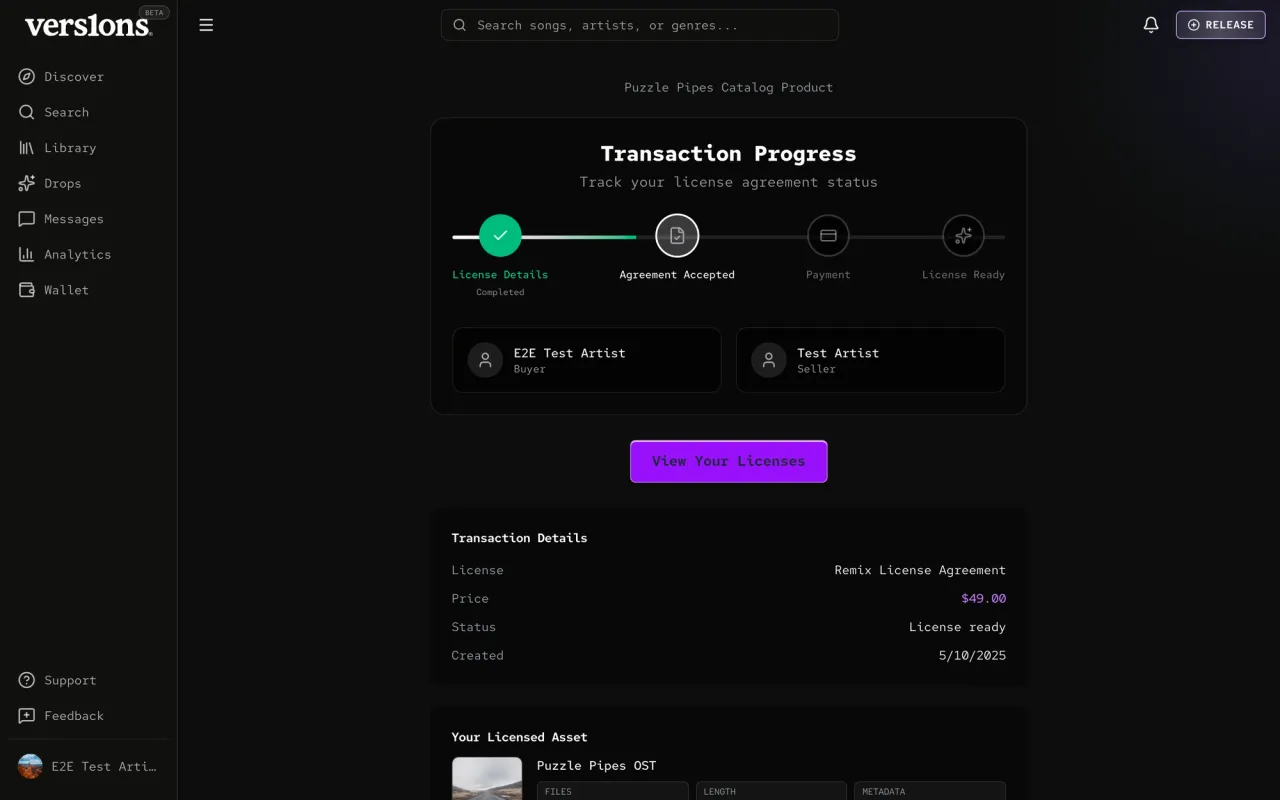
Before · Jul 2026A whole page per purchase. 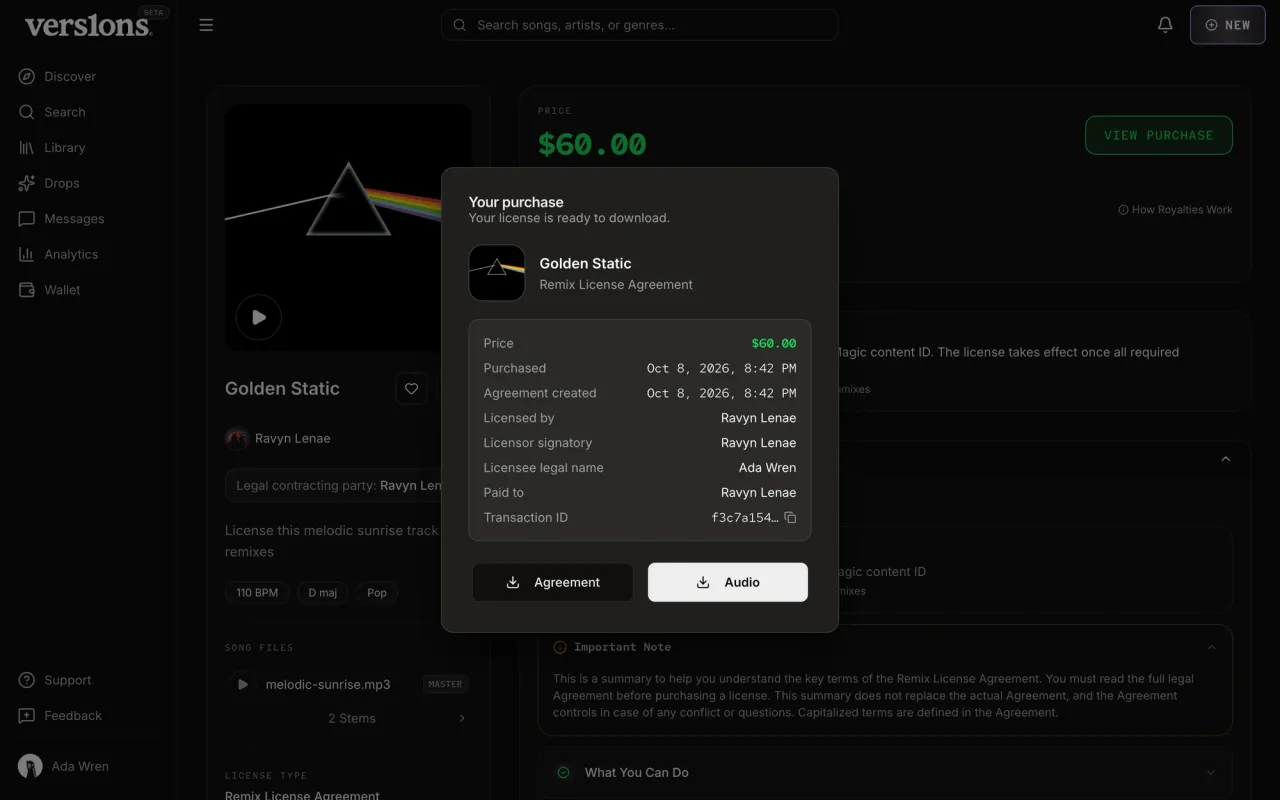
Now · Oct 2026A small receipt on the song's page.
Reliability
You can't pay for terms you haven't signed.
Payment opens only after the agreement is signed, and each signed agreement keeps its own terms. If an artist changes the price later, licenses already sold don’t change. The parts of a live listing that the rest of the platform depends on, like where remixes can be released and the master recording, are locked once it’s on sale. The receipt waits for the signed PDF and shows the download as soon as it’s ready. When we opened buying to limited accounts, tests covered every closed route, so nothing opened by accident.
Outcome
Buying a license now feels as simple as buying a song, on any screen.
The listing puts the price, the terms and the royalties up front, where buyers look first. The checkout is clean and easy to follow, from the order summary to the signed agreement. And it works the same on a phone as on desktop, so nobody has to switch devices to finish. What you bought, with the files and the signed agreement, is waiting in your library.